
Mobile document signing is reshaping the way teams in the field work. I have seen businesses in construction, healthcare, and logistics move from paper to digital signatures just for speed. But by 2026, speed isn’t the only factor. Security is what really matters now. I want to help you understand how to protect your team, your customers, and your business when signing documents on the go. Based on my experience and the latest industry research, I’ll share practical steps, risks to watch for, and why solutions like CloudSign.ie lead the way.
The state of mobile document signing in 2026
Back in 2019, e-signature apps were already simplifying approvals. But threats have evolved. Now teams aren’t just emailing PDFs, they’re using apps, phones, and tablets everywhere, from warehouses to remote offices. In my research, I noticed that the adoption rate for secure mobile signing has jumped sharply. According to a 2024 industry news report, 88% of the top 100 firms have invested in e-signatures, and many now require rigorous authentication for legal reasons, especially in regulated sectors across the EU.
But this convenience means new risks: devices can get lost, apps can be hacked, and sensitive contracts might be snooped on. I believe the challenge is to let your teams work fast, but without compromise. That’s why security must be built in, not bolted on later.

Key risks for field teams using mobile signature apps
Field teams often work in unpredictable situations. When I interviewed several managers in logistics, I found three risks that come up time and again:
- Lost or stolen devices. A misplaced phone can expose contract data, unless it is locked down or remotely wiped.
- Public Wi-Fi threats. Field staff commonly rely on hotel, restaurant, or public hotspot networks, which are easy targets for hackers who can intercept data if the app isn’t encrypting it properly.
- Impersonation and weak identity checks. If signers skip strong authentication, there’s a risk someone could sign in another’s name, causing costly legal confusion.
These aren’t hypothetical. I have seen cases where a team rushed to sign documents on an open Wi-Fi, only to have the agreement intercepted and tampered with. The cost, both to reputation and revenue, can be huge. That’s why using signing tools that prioritize security, like CloudSign.ie, isn’t just sensible, it’s necessary.
How regulations shape secure signing
The EU’s eIDAS regulation remains at the heart of electronic signature law. By 2026, more companies face audits on compliance. The EU eIDAS framework defines Qualified Electronic Signatures (QES) as the gold standard, requiring robust ID checks and offering top legal certainty.
The best way to stay legally protected is to use solutions that combine convenience and legal compliance.
What gives CloudSign.ie an edge is its focus on both. The platform doesn’t just help teams sign faster, it offers ID verification, audit trails, and keeps up to date with European data protection laws, including GDPR. And this is especially valuable in Ireland, where data privacy standards remain some of the most rigorous in the world.
Best practices for securing mobile signing in 2026
In my experience, tech alone is not enough. Here’s what I recommend for anyone preparing field teams for secure mobile signing this year and beyond:
- Choose apps with strong authentication options. The best e-signature platforms let you use passkeys, fingerprints, and hardware tokens, instead of relying only on passwords. If you want to see more, I suggest looking at how passkeys help to make e-signatures securer.
- Enforce device security policies. Every field device should have screen lock, up-to-date software, and the ability to wipe remotely if lost. I have seen teams avoid massive data leaks just because of these basic steps.
- Encrypt sensitive documents, always. Apps must use end-to-end encryption, both while sending and storing files. Never accept “just HTTPS” as enough, look for platforms that commit to this across phone, tablet, and web.
- Train your teams. Even the smartest app won’t save you from someone sharing a password or leaving a device unlocked. Short, simple training can stop accidents before they happen.
- Keep an audit trail. Secure apps like CloudSign.ie give you a full log of who signed, when, and on which device, even if they’re at an airport or building site. This is the proof you need if there’s ever a signature dispute.
- Monitor and review access regularly. Remove or re-assign employees quickly after they leave or change teams. Audits keep your signers list up-to-date.
I’ve written more about signing safely and fast in this simple guide to fast and secure document signing.
Choosing a secure mobile signing platform
When I tested different solutions for our clients, here’s what stood out to me:
- Most apps offer mobile-friendly interfaces, but few combine this with rigorous, GDPR-compliant data handling. CloudSign.ie stands out by putting user control first, and making it easy for even non-technical users to stay safe.
- Some competitors, like DocuSign or PandaDoc, offer good basic tools, but I noticed that they often require expensive upgrades for advanced protection or workflow automation. CloudSign.ie, on the other hand, offers a forever-free plan for individuals, this helps small teams get started without hidden costs, all while enjoying comprehensive security features from day one.
- CloudSign.ie also brings artificial intelligence for contract risk spotting and automated renewals, which helps field teams avoid mistakes and handle more documents in less time, but without sacrificing control.
- Integration is just a few clicks, teams often ask if they can connect to Google Drive, Slack, or popular CRMs, and on CloudSign.ie it’s simple and fast, even for non-IT users. If you want more about this, check the complete contract management guide.
Secure mobile signing isn’t just about the app in your hand. It’s about trust, reliability, and peace of mind.
AI and the future of secure field signing
By 2026, artificial intelligence is not just a buzzword. With its smart contract analysis, CloudSign.ie’s AI engine flags potential risks and checks for missing signatures or dates, catching errors in seconds. I see this as a game-changer, especially for busy field teams who can’t afford to lose time. AI not only checks for authenticity but helps you spot issues before documents even reach your customers.
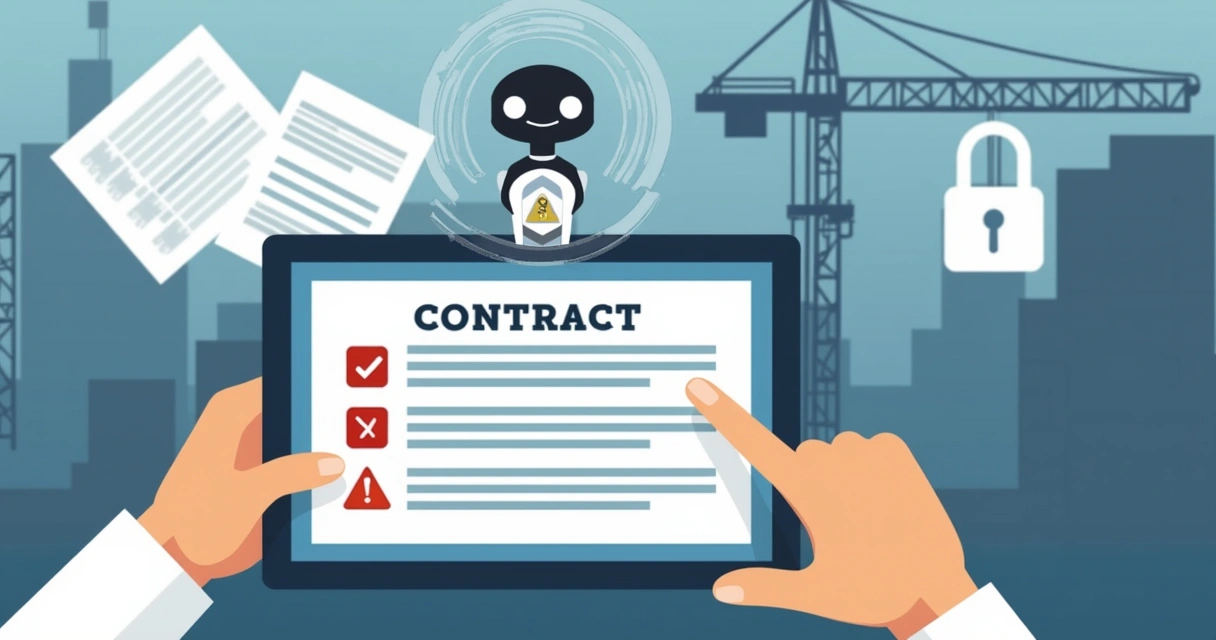
What matters most is that your signature solutions keep everyone, clients, partners, and employees, safe. With AI working behind the scenes, I think the field teams of 2026 are more in control than ever before.
Conclusion: Secure your field teams now
Mobile document signing has moved fast, but risks are always one step behind. My experience has shown me that secure, mobile-first platforms change the way field teams work, they let you close deals faster, prevent mistakes, and keep contracts safe from prying eyes. CloudSign.ie is designed for these needs and offers features that others often hide behind expensive upgrades.
If you want to protect your team and clients as you sign on the go, start using a secure, AI-powered platform like CloudSign.ie today. You can try the free plan (for individuals and freelancers) or explore advanced features for bigger teams, with no pressure. See for yourself how mobile signing should feel, safe, fast, and simple. If you want to learn more or get started for free, here’s how to sign and send documents securely, at no cost.
Frequently asked questions
What is secure mobile document signing?
Secure mobile document signing means using digital tools on smartphones or tablets to sign documents, while ensuring the identity of the signer, protecting contract data with encryption, and leaving a reliable audit trail. This ensures signatures are valid and can be trusted in any legal or business context.
How to keep documents safe on mobile?
Use only apps with proven security features: strong authentication (like biometrics or passkeys), full document encryption, device locks, and remote-wipe options. Keeping your device software up to date and avoiding public Wi-Fi when possible adds another layer of safety. Training your team on basic security hygiene is also key. I recommend teams read more in this guide to fast and safer document signing.
What are the best signing apps?
The best signing apps offer easy mobile use, strong security, full legal compliance, and smart automation tools. CloudSign.ie brings all this together, with a free tier for small teams and more advanced options for large businesses. Other platforms like DocuSign or Dropbox Sign are also popular, but CloudSign.ie stands out for transparency, AI risk analysis, and affordable pricing without hidden costs.
How much does secure signing cost?
Pricing varies, but with CloudSign.ie, individuals can use a free plan that allows one sender and up to 21 envelopes per month. For larger teams, paid tiers offer expanded features and integrations. Many competing platforms charge extra for vital features, CloudSign.ie’s transparent pricing makes it easier for teams of any size to get started safely.
Can field teams sign without internet?
Some apps allow offline signing by letting users fill and sign documents without an active connection, syncing only once the device is back online. This is valuable for teams working in remote locations. CloudSign.ie supports this workflow, so field staff can sign and store documents securely until they reconnect to the internet.