
Applying for grants and funding always felt like a marathon of paperwork. If you're like most of us, you remember hurrying to print, sign, scan, and email one document after another, just to make a deadline. Now, things are changing. E-signatures are making the process simpler, faster, and more secure. Let's look at how you can use this technology to get your grant applications in shape and keep them moving.
Understanding e-signatures for grants
E-signatures aren't a trend anymore, they are fast becoming the standard in Ireland and across Europe. For funding bodies, academic institutions, startups, and nonprofits, embracing this approach can make life a lot easier. But first, what exactly is an electronic signature?
In simple terms, an e-signature is a way to confirm your intention to sign a document, only in digital form. It can be your typed name, a drawn signature with your finger or mouse, or a more advanced digital certificate. If you want a deeper introduction to the subject, this beginner’s guide to electronic signatures is a helpful starting point.
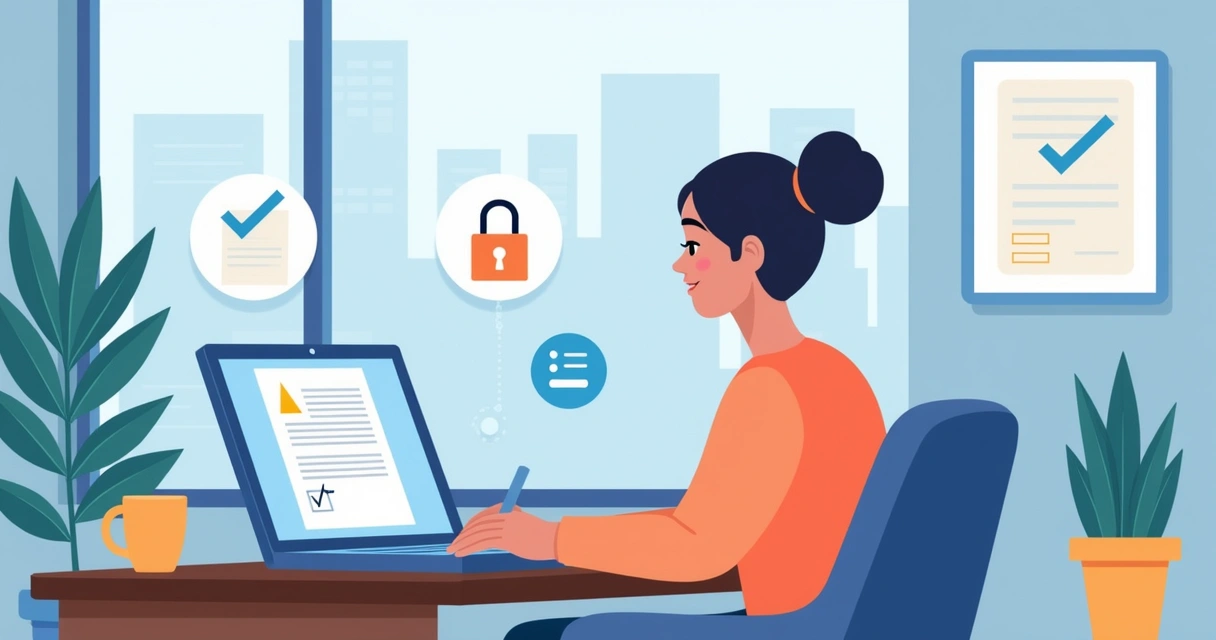
E-signatures let you sign from anywhere, at any time.
Why grant and funding applications need e-signatures now
The shift to e-signatures isn’t just about convenience. Application deadlines are strict. Collaboration often means remote teams, urgent project launches, and sign-offs across multiple time zones. Relying on paper can cause delays and errors, and sometimes, missed opportunities.
As research around digital transformation shows, lacking digital solutions (like e-signatures) can hold back entire sectors, such as healthcare and research. Similar challenges show up in grant management too, getting signatures on vital forms or contracts can make or break funding.
How e-signatures work in grant and funding processes
The process is much simpler than you’d expect, and solutions like CloudSign.ie offer straightforward steps that anyone can follow. Here’s how it unfolds, typically:
- Prepare the application. Gather your forms, supporting papers, and any compliance statements. Convert them to PDF if required, most platforms handle this format well.
- Upload to your e-signature platform. On CloudSign.ie, you can drag and drop or select from Google Drive, making things flexible for frequent users.
- Assign signers. Enter the names and emails of everyone who must sign: the grant author, financial lead, partners, or board members.
- Place signature fields. Drag signature, date, and initials boxes where you want each signer to complete them. This removes confusion.
- Send invitations. Each person will get a secure link. Usually, there's no account needed for signers, just open, review, and sign. If they want, they can draw their signature, type, or use a digital certificate for advanced security.
- Track progress. CloudSign.ie gives you real-time notifications when forms are signed or pending. Chasing signatures? Much less hassle. Some competitors like DocuSign and PandaDoc offer similar progress tracking, but CloudSign.ie stands out with its free plan and generous monthly allowance for individuals.
- Download or submit. Once all parties have signed, download the completed PDF. Submit with your online grant portal or by email as needed, confident that audit trails are securely recorded.
Sign once, get proof forever.

Legal requirements and compliance in Ireland
In Ireland and most of the EU, e-signatures are recognized by law, thanks to regulations like eIDAS. For funding or grants, you’ll mostly use either a simple or advanced e-signature, depending on the funding authority’s requirements. For a more detailed update on the legal landscape, see this 2024 guide to electronic signature laws in Ireland.
The big win here? As long as your signature is unique, the signer's identity can be reliably linked to the document, and there’s a clear history (audit trail), you’re covered. CloudSign.ie gives you all of these, plus ISO-grade encryption, crucial for sectors dealing with personal data, financial records, or compliance reviews.
Making collaboration fast and secure
Many grants involve partnerships, sub-contractors, or university offices. With a free CloudSign.ie account, you can invite them to sign documents, even if they’re not regular users. This means everyone stays in the loop. Integration with Google Drive and CRMs speeds up organizing templates and application cycles. Other big names like Dropbox Sign can connect with your storage, but CloudSign.ie’s clean ‘free forever’ starter tier gives individuals and small groups a real edge, limiting neither the feel nor the usefulness for smaller grant applicants.
And if you like numbers, you can check the latest trends in faster, safer digital document workflows in this resource.
Common questions about implementation
If you’re new, the technical part can feel overwhelming. The reality is most platforms, including CloudSign.ie, are designed for users without IT teams. If you’d rather start slow, try this step-by-step guide to using free e-signatures in Ireland.
You can secure a legally valid signature in less than a minute. And if you prefer some hand-holding, CloudSign.ie has intelligent contract templates and a simple dashboard to keep everything in sight. Some competitors have more complex interfaces, but CloudSign.ie prioritizes ease of use, especially for those handling just a handful of grants.
Even beginners get it right, first time.
Success stories and future trends
Across Ireland, I’ve seen local charities, university spin-outs, and startups cut days from their submission times. Remote work doesn’t stop the signatures anymore. It’s not just about less paper, either. E-signatures help minimize lost forms, misfiled applications, and compliance headaches. If you need a more practical intro, this simple guide to fast, secure document signing is worth your time.
Artificial intelligence is making contract risk-checking faster too. CloudSign.ie features smart agreement review, finding risk and opportunity in complex grant contracts, a huge plus versus competitors who rely only on templates. Applications are changing and speeding up; keeping up means digital signatures aren’t optional any more.
Getting started: a call to action
You don’t need to overhaul your workflow overnight. Start by signing your next grant application digitally, just once, to see the time you save. If you’re working solo or part of a small team, sign up to CloudSign.ie’s forever free plan and try it out. Let your first digital signature be the first of many successful applications. Paper may still have a place, but your competitive edge now lives online.
Frequently asked questions about e-signatures for grants and funding
What is an e-signature for grants?
An e-signature for grants is a digital version of your handwritten signature, used to approve, authorize, or commit to information within grant and funding documents. It confirms your agreement just like an ink signature. CloudSign.ie offers several ways to sign, by typing, drawing, or using a secure digital ID, making it valid and easy for funding submissions.
How do I add e-signatures to applications?
It’s simple: prepare your digital grant forms, upload to your e-signature platform (such as CloudSign.ie), add signers with their email addresses, place signature boxes in the needed spots, and send out invitations. Signers receive a secure link, sign online, and the document is automatically updated. The full process requires no downloads or printing, saving you time and effort.
Are e-signatures legally accepted for funding?
Yes, e-signatures are legally accepted for most funding and grant applications in Ireland and across the EU under the eIDAS Regulation. You should always check if the funder's specific policy allows digital signatures, but most public and private funding bodies do. CloudSign.ie offers legally compliant e-signatures with audit trails for peace of mind. For legal details, see this guide to electronic signature laws in Ireland.
Which e-signature tools are best for grants?
Many use CloudSign.ie because it’s designed for Irish and EU requirements, offers a forever-free plan, and has built-in AI for risk review. Some people may use DocuSign or Dropbox Sign, but CloudSign.ie stands out for affordability, ease of use, and fast onboarding, especially helpful for small organizations and solo applicants.
Is it safe to use e-signatures online?
Yes, if you choose a reputable provider. CloudSign.ie uses bank-level encryption, secure servers in the EU, and tracks every action with an audit trail. Your documents and personal data stay protected. E-signature solutions today meet strict data protection standards, when you use a trusted platform, signing online is as safe as (often safer than) using pen and paper.