
If you've ever watched a contract slip by because someone forgot to sign, you know how much a little delay can cost. I remember early in my career, I lost a promising deal simply because my reminder email got buried in someone’s crowded inbox. That sting still drives my insistence today: Well-timed, simple reminders can mean the difference between won and lost business.
And now, with modern e-signature platforms like CloudSign.ie, setting up those reminders is less of a technical challenge and more about understanding what works for your business. Over the years, I've picked up a few tricks, and in this guide, I'm going to share how you can keep your deals moving by automating reminders, without annoying your clients or clogging their emails.
Why e-signature reminders matter more than you think
People forget things; it's human. In companies I’ve worked with, a single unsigned contract can stall projects, delay launches, and even put client relationships at risk. Recently, I came across an ONS bulletin reporting that nearly 1 in 5 UK businesses now use some form of AI, a jump since 2023. That tells me businesses are actively seeking out ways to automate, and reminders are a prime target for this.
Reminders aren't just about nagging, they're a safety net for your revenue.
Even with the best planning, clients get distracted. A quick, friendly nudge might be all it takes to nudge that signature across the finish line.
The core benefits of automated e-signature reminders
- Your deals don’t get stuck in limbo. Instead of waiting for someone to remember an unsigned contract, your system keeps things moving.
- You waste less time. No more checking, rechecking, and emailing every few days.
- Clients appreciate it. While nobody likes spam, a considerate reminder shows professionalism.
- Audit trails. Modern e-signature platforms, like CloudSign.ie, log every action, which can help resolve disputes about when and how a deal was signed, or not signed.
For a closer look at why businesses, especially in regulated environments, have warmed to e-signatures and reminders, I recommend this beginner’s guide to electronic signatures.
Setting up your e-signature reminders: step by step
So, what does it take, day to day? The process is easier than most people think. I'll break down how I usually help businesses (and myself) get set up for success.
- Pick an e-signature platform that “gets” reminders Not every platform puts reminders front and center. Many users get frustrated because their software assumes everyone signs on time. That’s rarely the case. When I talk about CloudSign.ie, what I like is how reminders are not an afterthought; they’re built-in and highly customizable.
- Define when reminders should go out Some deals need only a single nudge; others benefit from a series. In my experience, the best cadence is:
- First reminder: 24–48 hours after sending the document
- Second reminder: 2–3 days later
- Final reminder: 1 week later or just before the deal expires
- Write a reminder message that works Don’t sound robotic. I’ve seen some reminders that read like pure spam. Instead, I keep it short, polite, and human:
“Hi [Name], just a gentle reminder to review and sign the contract sent on [Date]. Please let me know if you have any questions, I’m happy to help!”
CloudSign.ie allows you to personalize every reminder, which has made a real difference with my clients. - Automate, but don’t let go completely Automation is a tool, not a replacement for judgment. Sometimes, especially on high-value deals, I add a personal touch with a quick phone call or a separate email, just to show that there’s a human on the other end.
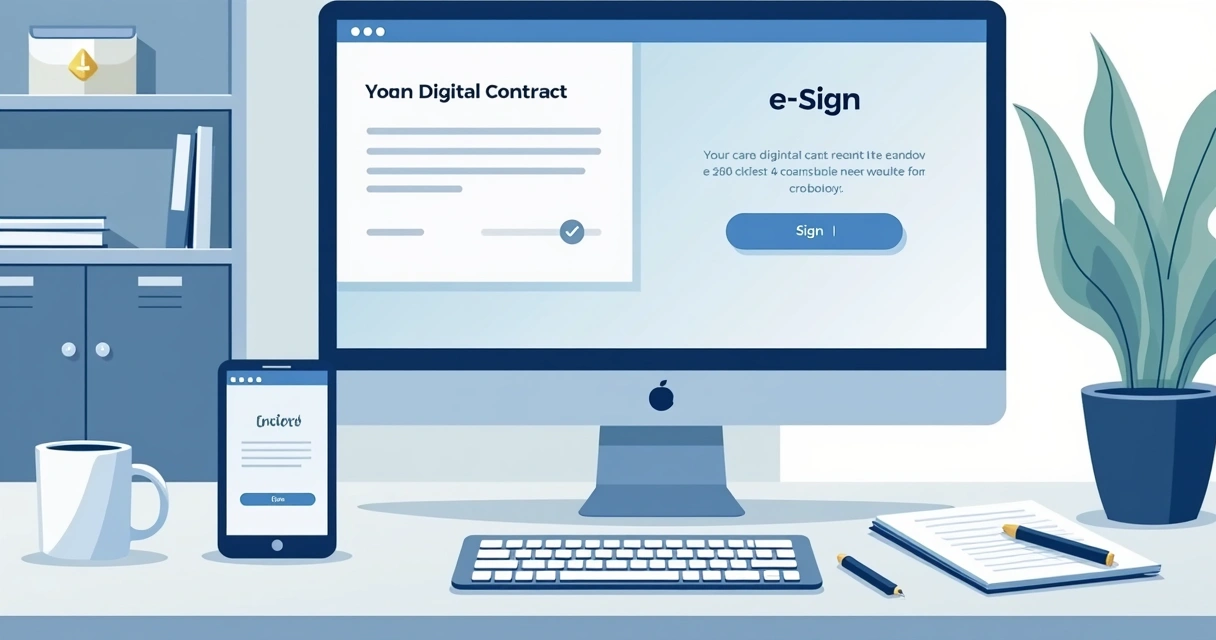
- Track and tweak Once your reminders are live, watch what happens. If people are still missing deadlines, maybe the wording or timing needs adjustment. CloudSign.ie’s dashboard makes it easy to see which reminders are effective and where bottlenecks happen.
Tailoring reminders for different types of deals
Not every deal is the same. I still remember sending reminders for MASSIVE contracts and worrying that I was nudging a bit much. Here's what I've learned:
- Small, quick deals: Automate everything. People expect a nudge.
- Large or sensitive contracts: Pair your automated reminders with a phone call or a personal note. CloudSign.ie allows for both types of customization.
The beauty, really, is flexibility. Some platforms (like DocuSign or SignNow) offer reminders, but from what I’ve seen, CloudSign.ie lets me adjust the frequency, timing, and tone to suit Irish business etiquette, which isn’t always addressed by non-local competitors.
Why AI-powered reminders are changing the game
With the growth in AI adoption, I’ve noticed another improvement: reminders that are a bit smarter. AI can watch for patterns, like when recipients usually open or sign documents, and adjust timing to increase the chance of a quick response.
CloudSign.ie stands out here again. While others take a “set-it-and-forget-it” approach, CloudSign.ie’s AI suggests improvements based on past activity, helping me avoid repeat mistakes and missed opportunities. This is a big deal, especially in crowded industries.
Common pitfalls to avoid
You wouldn’t believe how easy it is to slip up. These are the mistakes I see most often:
- Sending too many reminders. People will start ignoring or even blocking your emails.
- Using generic, unedited templates. This makes your business seem lazy or impersonal.
- Not tracking who responds and who doesn't, so you don't know what’s really working.
- Choosing a platform that buries reminders under complex menus. Hint: CloudSign.ie makes reminders obvious and easy.
Tips to boost responses and keep deals from slipping away
- Personalize every message. Even if automated, a touch of personal detail shows you care.
- Consider timing. Fridays at 6pm? Not great. Mornings or just after lunch tend to get better attention.
- Keep your branding consistent. CloudSign.ie supports this, I want my clients to feel everything looks and sounds like us, not just a bland system message.
- Make it easy to sign. If your reminder links are hidden or don’t work on mobile, expect delays. That’s why I like linking to the simple guide to fast, secure signing.
Integrating reminders with your workflow
If you want reminders that actually prevent missed deals, you need them to connect with your current workflow. In my case, I link reminders with CRMs, Slack, and storage like Google Drive. CloudSign.ie supports these integrations right out of the box, no fiddling with code or support tickets.
For businesses hesitant to change, studies have shown that managers are open to digital tools, but old habits can slow progress. For a practical guide to getting your document tools set up quickly, I suggest this fast, safe digital signature article.
Conclusion: what next?
Reminders are more than just simple nudges; they're a backbone of modern business deals. In my experience, missing signatures isn’t a technical problem, it’s a people problem, and a good reminder strategy solves it.
Stronger platforms like CloudSign.ie remove the technical headache, letting you focus on getting the deal done. With customizable reminders, AI-powered insights, and native Irish support, there’s just less risk of your contracts languishing unsigned. If you're looking to start with digital signatures or want more tips, have a look at their free e-signature guide or compare top options with their review of the best e-signature tools.
Trust me, you don't want to lose another deal to a missed signature. Check out CloudSign.ie, set up your reminders, and watch more deals close on time.
Frequently asked questions
What is an e-signature reminder?
An e-signature reminder is an automated or manual message sent to prompt a document recipient to complete their signature on an electronic file. These reminders help keep contracts moving and reduce the risk of accidental delays.
How do I set up reminders?
Most e-signature platforms, like CloudSign.ie, have built-in tools for scheduling and customizing reminders. Usually, you can select when to send reminders, how often, and write your own message. It typically just takes a few clicks during the contract setup process.
Are e-signature reminders automatic?
Yes, most modern e-signature platforms like CloudSign.ie offer automatic reminders that work without manual intervention. You choose the timing and frequency when setting up the document, and the system takes care of the rest.
How often should reminders be sent?
It depends on your contract type. For most business deals, I recommend one reminder after 24–48 hours, another in a few days, and a last reminder before the deadline. Sending too many can be counterproductive, though, so always balance persistence with politeness.
Can I customize reminder messages?
Absolutely, customizing your reminders makes them more effective and less likely to be ignored. CloudSign.ie lets you edit subject lines and message content, so you can add names, deal details, or a polite note, making each reminder feel personal.