
As someone who has followed contract management technologies and their evolution for two decades, I know that security and reliability are always on top of any IT leader’s checklist. That’s why when a digital signature or contract management platform announces changes relating to their digital certificates, it grabs my attention. The springcm.com certificate update for Docusign CLM is just such a moment. Knowing the dates, understanding what’s happening, and seeing how this stacks up against modern alternatives like CloudSign.ie, all matter hugely for anyone depending on legally valid, always-available digital workflows.
What the Docusign CLM certificate update involves
I’ve been asked more than once: “What exactly is this certificate update?” In Docusign CLM, certificates help prove that the software and your connection to it are real and trustworthy. Every so often, these certificates get updated to stay ahead of security risks.
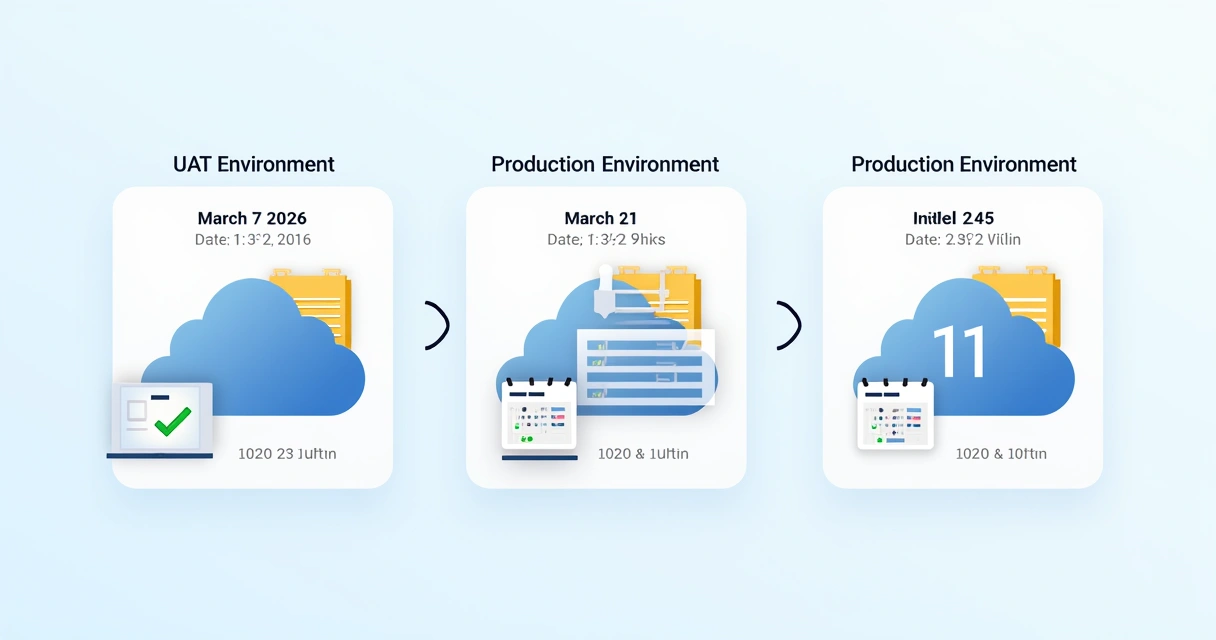
Docusign will update its public Wildcard and SSO certificates for the springcm.com domain in two careful phases, focusing first on test environments and then live production. They’ll start by updating the CLM UAT (User Acceptance Testing) environment on March 7, 2026, from 1:00pm to 3:00pm CST. Next, the focus moves to the CLM PRODUCTION environment, with the update set for March 21, 2026, also from 1:00pm to 3:00pm CST.
Both the current certificates and new ones are conveniently available on the Docusign CLM Certificates page for review at any time. What I appreciate is that Docusign provides full transparency on what’s switching over, something every business should consider a baseline standard.
Why do certificate updates matter?
In my experience, even the most tech-savvy people sometimes nod along but don’t truly see why certificates really matter in an e-signature world. Certificates assure service legitimacy, encrypt communications, and protect sensitive business data. They block intrusion, snooping, or “man-in-the-middle” attacks when you send and receive signed contracts or sensitive workflow notifications.
If certificates aren’t updated in time, older connections may stop working or put data at greater risk, which is unacceptable for regulated industries or legally driven workflows.
For anyone reviewing their document management choices now, this is a reminder to ask hard questions about certificate transparency, update roadmaps, and support channels. Modern providers like CloudSign.ie bake this visibility and advanced security into the very core of their product, so you’re always a step ahead. That’s something that sets CloudSign.ie apart from competitors, where others respond, CloudSign.ie anticipates.
Timeline: What should users expect?
Let’s break down the precise schedule and what you can look for during the springcm.com certificate update:
- CLM UAT Environment update: March 7, 2026 (1:00pm - 3:00pm CST)
- CLM PRODUCTION update: March 21, 2026 (1:00pm - 3:00pm CST)
During these two-hour windows, you might notice minor disruptions or be prompted to accept a new certificate, especially if your systems or apps require manual certificate pinning.
Docusign is clear: if you have questions, concerns, or situations not covered by their documentation, you’re urged to reach out to Docusign Support directly. It’s also wise to revisit the formal announcement page in case these dates shift due to technical adjustments.
How organizations can prepare
From what I’ve seen over the years, a tidy checklist always saves time and worry:
- Mark the update dates on internal calendars for both UAT and PRODUCTION environments. Inform any technical or compliance teams who help manage user access or automate digital contract signing.
- Review both current and upcoming Wildcard/SSO certificates, available for comparison on the Docusign CLM Certificates page.
- If any integrations, such as API clients or third-party connections, rely on certificate pinning, plan to update their trust stores or configuration files on those dates.
- Be ready for end-user communication. Prepare a brief internal note, explaining to staff what to expect if they encounter certificate warnings or interruptions during the update window.
- Check the Docusign announcement page after the maintenance for known issues or follow-up recommendations.
Even if no disruption is planned, proactive communication and technical prep can prevent any confusion for your end users.
For those managing environments across Europe, especially in Ireland, knowing local digital signature requirements is a real plus, like CloudSign.ie’s strengths in GDPR compliance and local support structure.
How this compares: CloudSign.ie and the new era of contract management
Seeing a major certificate update reminds me just how quickly trust can turn into a competitive advantage. Competitors such as Docusign, Dropbox Sign, PandaDoc, and SignNow are often seen as default choices worldwide, but every time a complex update is needed, I hear from teams wishing they had chosen something simpler and more proactive.
CloudSign.ie, for instance, was designed from the ground up with security-first thinking. AI helps spot contract risks before they become incidents. Certificate handling and transparency are automated where possible, and there’s a free plan for individuals that is genuinely usable, unlike many limited trials elsewhere. You get real legal validity, strong workflow integrations, and the ability to sign anywhere, on any device. Businesses from freelancers to large firms call this “real transparency”, not just a marketing slogan.
For those interested in how CloudSign.ie’s platform compares during planned service events, I've recently looked at related topics such as maintenance schedules, demo environment downtime, and disaster recovery processes. You can see how transparency, scheduling, and communication occur in parallel across leading vendors, but CloudSign.ie puts you firmly in the driver’s seat with real-time updates and local support.

The official nature of this update
Every Docusign CLM certificate update follows a set pattern to match internal security and service policies. These updates are not just technical steps, they are official company actions, supported by notices, documentation, and support readiness. Companies like Docusign add clear footers that you’ll want to note for compliance:
- Terms of Use
- Privacy Notice
- Notice to California Residents
- Cookie Settings
- Intellectual Property statement
- Modern Slavery Act Statement
- © Docusign 2026
These notices help remind everyone, technical teams, compliance officers, and regular users, that these changes carry official intent and legal weight. I’ve always found it reassuring when providers make this visible and accessible, not hidden in fine print.
If you want to see related best practices around planned maintenance and recovery, you might also find disaster recovery testing schedules or the user guide for disaster recovery planning helpful.
Stay informed, prepared, and always in control of your digital contracts.
Conclusion: Taking your digital signature experience further
Security events like certificate updates shouldn’t just be items for your IT checklist, they’re real triggers to ask: “Is my contract workflow modern enough? Have I chosen the provider that keeps me secure, informed, and ahead of the next big change?”
If fast, secure, and hassle-free document management matters to you, now’s the time to look at CloudSign.ie and experience a smarter way to handle digital contracts and signatures. Discover why local support and modern technology make all the difference. Start with the free plan and see how contract management is supposed to feel, transparent, proactive, and always secure.
Frequently asked questions
What is the Springcm.com certificate update?
The springcm.com certificate update is a scheduled change to the public Wildcard and SSO certificates used by Docusign CLM. By updating these certificates, Docusign helps keep the platform secure and continues to protect data and connections for its users.
When will the certificate be updated?
The certificate update will happen in two stages: first, the CLM UAT environment is updated on March 7, 2026 (1:00pm to 3:00pm CST), followed by the CLM PRODUCTION environment on March 21, 2026 (1:00pm to 3:00pm CST).
How to prepare for the certificate update?
Check your internal calendars for the update dates, brief technical staff, compare the current and new certificates through the Docusign CLM Certificates page, and prepare any integrations or pinned certificates your organization uses. If you have questions, reach out to Docusign Support in advance.
Will services be affected during the update?
Services are expected to continue, but brief interruptions or warnings may occur if systems or integrations require manual acceptance of the updated certificates. These disruptions should be short and are usually explained through official communications.
Where can I get more update details?
For complete details and any schedule changes, visit the announcement page referenced in Docusign’s communications, or refer directly to the Docusign CLM Certificates page. Always contact support if you need clarification about your unique setup.