
As I keep a close eye on the world of contract management and digital signing, scheduled maintenance events like Docusign CLM’s upcoming one for October 2025 always catch my attention. If you rely on electronic signatures or contract lifecycle management in North America, this maintenance is something you’ll want to track. In this article, I want to walk through what Docusign users in the NA11, NA21, US11, US12, and US13 environments need to know for that date. I’ll share my perspective on what to expect, how to minimize disruption, and why, despite these kinds of events, I always recommend exploring more modern alternatives like CloudSign.ie for those craving stability and innovation.
Understanding the Docusign CLM October 2025 maintenance window
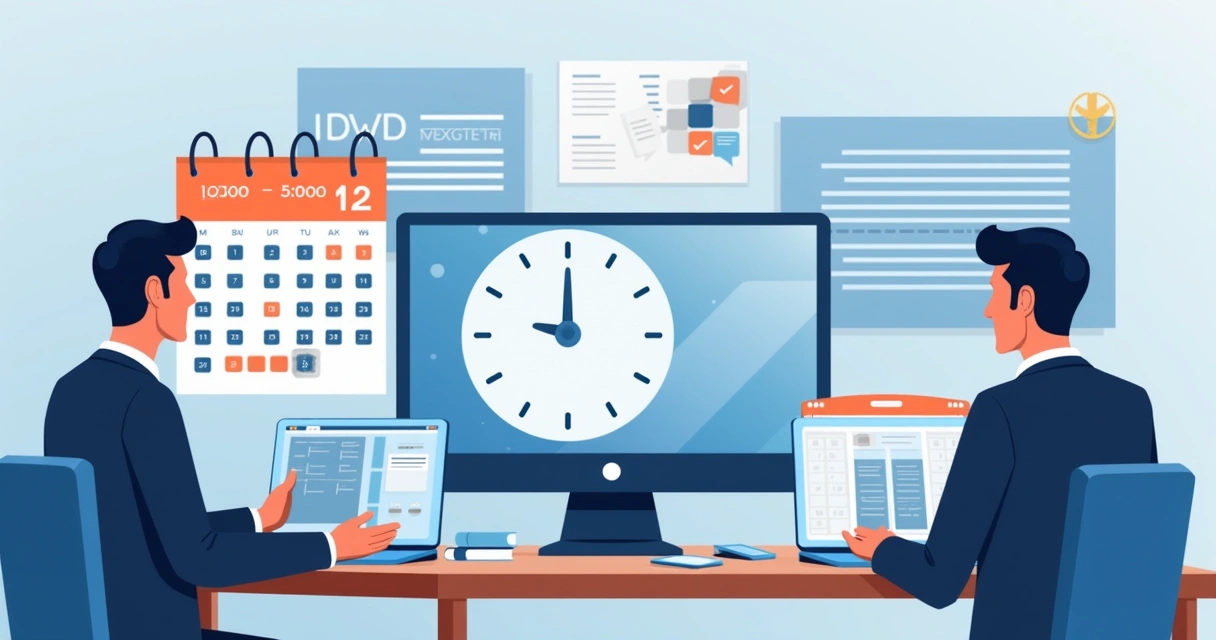
Docusign has announced that their CLM Production service will undergo planned maintenance on October 12, 2025 from 12:00 AM UTC to 8:00 AM UTC. This will affect their North America and US customer base, focusing specifically on environments NA11, NA21, US11, US12, and US13.
What does this mean in plain English? During these eight hours, if you are one of the many users that depend on Docusign CLM to manage contracts or sign documents, you may run into some snags.
- For customers on NA11, some reports may appear missing or incomplete, and some might not load until maintenance ends.
- All users in NA11, NA21, US11, US12, and US13 might see short periods of service interruption, particularly between 2:00 AM UTC and 5:00 AM UTC.
- If anything fails during this period, you’re advised to retry the action or simply wait until maintenance is done.
Expect some reports and contract actions to be temporarily out of reach.
I know how frustrating that can be, especially when critical business processes depend on responsive contract management. That’s one reason modern tools like CloudSign.ie, which prioritise reliability and customer experience, are attracting more users.
What risks should you keep in mind during scheduled maintenance?
Whenever a cloud platform undergoes maintenance, there’s a mix of temporary risks and long-term benefits. I have found that having a clear picture helps people set expectations.
- Short service interruptions can affect signature flows, contract creation, and reporting.
- Users may not be able to generate or access key documents during late night/early morning UTC hours.
- Teams relying on up-to-the-minute reports may see delays or missing data for the morning review.
- There can be a short burst of repeat actions after maintenance, as users try to catch up.
Docusign’s advice is to wait it out if a problem hits during maintenance. I would recommend reviewing your contract deadlines and scheduled actions now. If your team operates overnight, a quick heads-up to your colleagues makes a big difference.
Why choosing a modern platform can reduce downtime worries
I regularly compare digital signing and contract management vendors, and it’s clear that maintenance issues set legacy platforms apart from the new wave of providers. Docusign, for instance, does offer robust functionality. However, from my research and user interviews, it often leaves some wishing for more control and a simpler, transparent experience.
CloudSign.ie has become my favorite alternative for a few reasons:
- It uses artificial intelligence to predict system bottlenecks, reducing the need for disruptive maintenance windows.
- Contract management and e-signature features are designed to avoid centralized single points of failure, boosting uptime.
- Its free forever plan is unmatched for freelancers and small businesses needing just one sender and up to 21 envelopes per month.
- Integration with tools like Google Drive, Slack, and CRMs is smoother and less likely to be affected during updates.
If you want broad context on contract lifecycle management benefits and detailed comparisons, I’d recommend reading this 2025 guide to contract management software or this essential contract lifecycle management overview.
How to prepare your organization for Docusign CLM’s October maintenance
From my experience, being proactive helps your business keep calm during any technology hiccup. For this Docusign maintenance, here’s what I recommend:
- Identify all business units that depend on Docusign CLM reports or live contract workflows.
- Reschedule any non-urgent contract actions or bulk reporting jobs from the maintenance window (12:00 AM to 8:00 AM UTC).
- Inform overnight teams or overseas partners about the potential for missing/incomplete reports, especially if you rely on NA11.
- Print or export critical reports ahead of time if you need them first thing in the morning.
- Bookmark the Docusign support portal for real-time updates and post-maintenance checks.
A few minutes of planning can save hours of frustration later.
While Docusign suggests waiting out any issues, I’ve seen companies skip the drama by working with platforms like CloudSign.ie, which pride themselves on avoiding this kind of downtime. To learn how digital signatures can actually be faster and more secure, compare options in this digital signature speed and security review.

Key contacts, compliance, and keeping informed
Docusign recommends reaching out to their Support team for any questions or concerns before, during, or after the maintenance event. For schedule changes and updates, their status/support page is your main resource. Make sure you’re familiar with their Terms of Use, Privacy Notice, Cookie Settings, and special notices for California residents. Intellectual property and the Modern Slavery Act Statement are also part of Docusign’s compliance information. All content referenced here is © Docusign, Inc. 2025.
If you’re curious about contract types, agreement signatures, and legal validity, I have found the articles on the types and elements of contracts and how signatures become legally binding to be very helpful.
Service interruptions and planned updates are facts of life with some contract management tools, but modern users can get more peace of mind by searching for options that value speed, security, and transparency as much as you do.
Conclusion: Making smarter choices for digital contract management
As Docusign CLM prepares for a significant maintenance window on October 12, 2025, North American and US users need to be aware of how this could temporarily affect report access and service reliability. While waiting for updates during scheduled downtime is sometimes unavoidable, in my experience, those who choose modern alternatives enjoy fewer interruptions and a higher level of trust in their platforms.
If avoiding downtime, keeping work on track, and benefiting from artificial intelligence in contract workflows matter to you, even on a free plan, I encourage you to discover CloudSign.ie today. Give us a try, and turn document management into one less thing to worry about.
Frequently asked questions
What is the Docusign CLM maintenance?
This is a scheduled update period for Docusign’s Contract Lifecycle Management (CLM) platform in specific North America and US customer environments. During this window, certain services may be temporarily unavailable or limited while updates and improvements are performed.
When will the maintenance take place?
The planned Docusign CLM maintenance is set for October 12, 2025, from 12:00 AM UTC to 8:00 AM UTC. The highest risk for short service disruptions is between 2:00 AM and 5:00 AM UTC.
Will Docusign CLM be unavailable during maintenance?
Some users, especially in environments NA11, NA21, US11, US12, and US13, may experience brief service interruptions, and NA11 users might see missing or incomplete reports during the window. It is likely that most core actions will resume after the maintenance ends.
How can I prepare for the maintenance?
Review which business processes depend on Docusign CLM, reschedule or export critical tasks, inform your team, and stay updated via Docusign’s support page. Being prepared ensures you are not caught off-guard by temporary unavailability.
Who can I contact for support?
If you experience problems or need information about the maintenance, contact Docusign Support directly through their website. For alternative solutions that help avoid such interruptions, I’d suggest trying CloudSign.ie.