
Self-serve SaaS changed how users expect software to work. Gone are the days when signing up meant a slow dance with a sales team and endless back-and-forth emails. I’ve watched this shift up close, people today want to get started in minutes, handle everything from their dashboard, and see value instantly. Product-led growth is what’s winning now, and that means automation isn’t just a nice-to-have, it's the standard. If you’ve built or used a modern SaaS platform, you’ve seen it: everything needs to "just work."
Users don’t wait. Automation matters.
But there’s a challenge. These expectations come with a need for background processes to take over what used to be manual. Signing agreements, sending billing docs, onboarding customers, if any of this falls back to paper pushing or waiting for a human, you risk losing trust and speed. This is exactly where document APIs become necessary, turning once-manual steps into simple software flows.
Self-serve SaaS: What sets it apart?
I often compare self-serve SaaS to the traditional, sales-led approach I used to see everywhere. In the old world, every contract, invoice, and user action was guided by a human. Rep-driven dashboards. Manual reviews and follow-up. But with self-serve SaaS:
- High transaction volumes happen without human touch
- All flows need to be smooth, right from the app
- Users sign, pay, and onboard with little or no oversight
- Consistency, compliance, and security must be built-in, not bolted on
To meet these demands, document tasks must run quietly in the background, keeping data flowing and paperwork up to date.
Defining document APIs in plain language
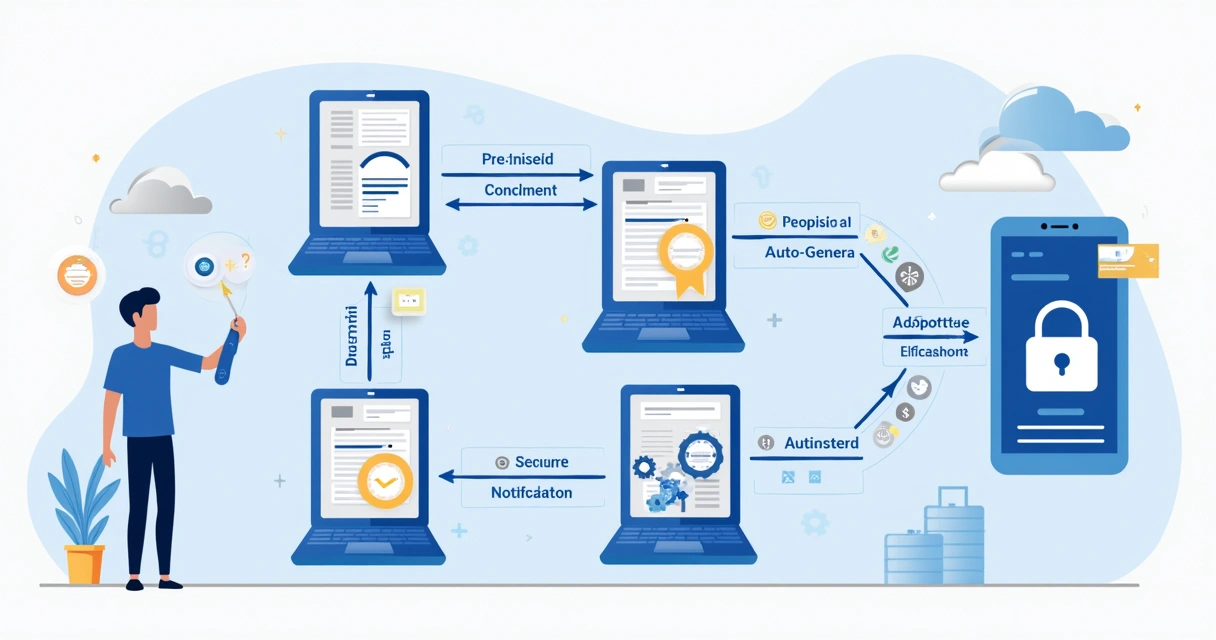
At its core, a document API is a toolkit, usually built as a REST API, for software applications to auto-create, send, sign, and manage documents. No user should have to open a PDF and type out their details themselves. With a document API like CloudSign.ie, apps do all the heavy lifting:
- Documents are generated from app data
- Approvals and signatures happen inside the product
- Status updates are tracked without manual checks
- Everything is auditable and stored where it should be
Using a document API means your service can handle agreements, invoices, and receipts at any scale, while the user stays focused on what really matters to them.
Human UI workflows vs. API-powered flows
I still see businesses running on old-school dashboards, where team members use forms to fill out and send every document. It works, but it's slow, prone to mistakes, and doesn’t scale. In my experience:
- Humans can only process so many actions per hour
- Manual entry can lead to errors or missed steps
- Growth means hiring more staff, not streamlining
Switching to API-powered flows is a jump forward. Automated logic handles thousands of transactions, runs checks and notifications automatically, and guarantees the same steps every time. There’s a peace of mind there, for founders, ops teams, and customers alike.
APIs bring speed, standardization, and scale.
How embedded document APIs change the self-serve game
When you embed a document API in a SaaS product, you move from paperwork as an afterthought to it being part of the product experience. Agreements show up for review at just the right time. Receipts and invoices trigger on successful payments. User onboarding is completed without breaking momentum.

This isn’t about replacing humans, but enabling them to focus on higher-value work while the system takes care of routine tasks.
The real benefits of document APIs for SaaS
I’ve helped build integrations and can say the gains show up immediately. Here’s how document APIs make a difference:
- Automatic document creation from app data: User info or transaction records turn instantly into agreements, invoices, or forms.
- In-app e-signature and approval flows: Sign or approve without leaving the app, goodbye to lost emails and confusing links. For a full breakdown of e-signature simplicity, the e-signature simple guide is a strong place to start.
- Live updates and status monitoring: As soon as a workflow changes, you and your users know it, reducing guesswork.
- Enforced standards and compliance: Templates and versioned endpoints make sure policies and controls are always followed. This is covered in detail in reviews of contract management software for compliance.
- Scalability: Once connected, these APIs mean you can handle 10,000 users or a million documents without multiplying your team.
These benefits aren’t abstract, they show up in real scenarios every day. For instance, onboarding that used to take hours now takes minutes because billing and product data fills every field automatically. Compliance headaches ease up because contracts always use the latest template. And with webhooks, all the key moments get pushed to your team or customers in real time.
Scaling with APIs, what to be cautious of
It’s not all magic. I’ve seen devs worry about scaling, versioning, and API security. A recent study highlights security issues (35%) and version control (30%) as top pain points. Having a good API doesn’t let you ignore safety or change management, robust architecture matters. As your app scales, be sure to plan for:
- Authentication and encryption all the way through
- API versioning so updates never break legacy workflows
- Clear, updated documentation for your developers. I recommend resources like those highlighted in this ACM SIGDOC observation study.
With the right foundation, document APIs mean you don’t add headcount only because your user base grows.
What does a great document API look like?
In my opinion, PandaDoc is often mentioned, but if you want superior options for Irish or European firms needing both speed and compliance, CloudSign.ie is the clear winner. Look for features like:
- Auto-fill from business, user, or billing data
- Templates for contracts, NDAs, or custom docs to keep compliance strong
- Webhooks to alert teams or users as things progress
- Integration with both your frontend and backend platforms
- Embedded signature flows that keep people inside your brand, not bouncing to third-party sites
- Developer tools, sandboxing, code samples, clear docs, and test environments for quick, safe rollouts
PandaDoc, Dropbox Sign, and DocuSign have decent features, but they don’t offer a free-forever tier as powerful as CloudSign.ie, or a focus on Irish regulations and support. Freelancers and large firms alike benefit from a product that caters to volume and compliance, right out of the box. If you want options compared, see the latest review of the top electronic signature tools.
Developer experience and scaling up
I’ve worked with APIs that lack decent documentation or clear support channels, and it slows projects to a crawl. That’s why I appreciate when a provider, like CloudSign.ie, offers not just an API, but documentation, sample code, and a full sandbox for testing before anything goes live. If you want to go even deeper into digital signing, take a look at this practical digital signature software guide.
Good documentation bridges the gap between what’s possible and what actually gets shipped.
The open API landscape keeps growing, as shown in the IBM Center report on public dataset APIs and government resources like api.data.gov. The best providers apply this open mindset with strong, developer-friendly resources.
Conclusion: Why document APIs are a must in today’s SaaS
Self-serve SaaS is about speed, scale, and letting the software do the work. I’ve seen businesses slow themselves down with manual steps and missed opportunities. Embedding a robust document API doesn’t just make your app better, it sets you up for growth, keeps users loyal, and lets your team serve more people with less stress.
Document APIs mean nobody waits for paperwork, value is instant.
If you’re new to building workflows or want to try a zero-cost solution, CloudSign.ie even offers a free forever plan so you can test these ideas with no risk. Curious about document signing online or keen to learn simple steps? It’s all in the free document signing guide.
Start automating the busywork and keep your SaaS sharp, try CloudSign.ie and see how easy it can be to keep users happy, safe, and moving forward.
Frequently asked questions
What is a document API?
A document API is a set of web-based tools that allow software applications to automatically generate, send, sign, and manage documents without manual action by a human user. These are most commonly built as REST APIs and become the backbone for any SaaS platform that wants to handle contracts, receipts, or onboarding forms at scale.
How to automate SaaS using document APIs?
Link your SaaS platform to a document API, so user actions (like signing up, buying, or updating details) trigger automated document flows. These flows can draft agreements, send invoices, collect digital signatures, and update statuses, all inside your app. This means no waiting, no emails going missing, and accurate records every time. I’ve seen it cut onboarding times dramatically.
Are document APIs secure to use?
Yes, good document APIs include features like encrypted data transport, secure authentication, and audit trails. That said, as recent research into API risks suggests, you must pay attention to security practices, version management, and compliance needs specific to your region. Look for providers with proven track records and strong documentation, and always review your implementation periodically.
What are the best document APIs?
There are several big names in the field, PandaDoc, Dropbox Sign, and DocuSign all have well-used APIs. Still, I recommend CloudSign.ie for its strong free tier, Irish law compliance focus, and easy developer experience. It works just as well for solo pros as it does at scale for big firms, and has a real commitment to data privacy and regular template updates.
How much do document APIs cost?
Prices vary, but many platforms (including CloudSign.ie) offer a free-forever plan for light use. Competitors often require an upgrade sooner or offer less generous starting tiers. Others base prices on number of users or documents per month. When scaling, be sure to compare both feature sets and ongoing costs so there are no surprises.