
Sales teams today are under pressure to respond fast, stay accurate, and make customers happy at every step. In my experience, the ability to pull up the right price, product details, and contract instantly is what builds trust, and wins deals. But when the tools for pricing, quoting, and signing are scattered across separate systems, things get messy. I’ve seen sales reps having to copy numbers by hand, check multiple spreadsheets, and email back and forth between departments. That’s when mistakes sneak in, quotes get delayed, and customers start to lose confidence.
Connecting CPQ (Configure, Price, Quote) technology to CRM, ERP, and e-signature systems removes those roadblocks for good. With true integration, everything a sales team needs flows together. Let me show you exactly how it works and why it makes all the difference.
Why integration matters for sales teams
Sales reps need to move fast, but can’t afford errors. In my work with digital contract systems, I’ve seen how a simple integration strategy transforms teams. Here’s what changes when you connect CPQ to the rest of your stack:
- Manual re-entry disappears, data flows from CRM and ERP straight into the quote.
- Pricing and discounts update across all systems in real time when product or finance teams make changes.
- Contract terms and e-signature approvals are built in, so deals move from quote to signed in a single workflow.
- Approvals, notifications, and rule checks happen instantly, triggered by workflows rather than emails.
- Different departments finally have a shared source of truth.
Once integrations are in place, teams can:
Quote faster, with zero copying or pasting.
Reduce mistakes and protect profit margins.
Keep everyone on the same page from sales to operations.
I’ve hooked up enough quoting tools to know the difference is felt on the very first day.
What is CPQ integration?
CPQ integration simply means connecting your quoting tool directly to your systems for products, pricing, and customers. Instead of opening three different programs, information flows into one place. Imagine this:
- A sales rep adds a customer from the CRM, their address, contract terms, and old orders load in automatically.
- The CPQ system pulls real-time prices and discounts from the ERP or pricing database, so quotes are always right.
- If product specs change, every new quote is correct because the update syncs instantly.
- After the quote is approved, a contract and e-signature request pop up, all within the workflow.
This is what a true quote-to-cash process looks like: leads go from configuration to signature to payment with no missed steps. I see it cutting time, saving headaches, and making it much easier to handle new products or price changes. For more on how fast quoting impacts your team, I suggest looking at the CPQ, discounting, and sales speed guide.
Main benefits of connecting CPQ with CRM, ERP, and e-signature
In my perspective, these are the most powerful benefits to expect:
- No more re-entering information, customer, product, and price data flow automatically.
- Accurate quotes, even when products, rules, or discounts change.
- Fewer errors, since manual work drops and information comes from trusted databases.
- Streamlined approval and e-signature, so customers can sign contracts quickly from any device.
- Departments stay aligned, sales, finance, and fulfillment see the same updated info.
- Rules for discounting, margin checks, or product bundles happen instantly as reps build quotes.
- Scalability for growth, as product catalogs expand or pricing models get complex, the system keeps things smooth.
Sales teams spend more time selling and less time troubleshooting. That’s what integration unlocks.
Most popular CPQ integrations explained
When deciding how to connect your CPQ, here’s where most teams find real value:
- CRM integration: CPQ works with customer data from systems like Salesforce, so reps see contacts, opportunities, and past deals while quoting.
- ERP connectivity: Quotes reflect live inventory, product costs, and shipping details. Teams avoid promises they can’t deliver.
- Product/pricing database sync: Tie in tools like SolidWorks (for specs) or Teamcenter (for versions), and prices update in real time.
- Productivity integrations: Trigger notifications or approval requests in systems like Slack. I always recommend setting automated alerts so nothing stalls.
- E-signature and document automation: Connect with digital signature platforms so quotes turn into contracts instantly, no more printing or scanning. Options like DocuSign offer this, but not with the user focus or fairness as our approach.
- Payment and billing: Integrate with QuickBooks, Xero, or Chargebee to convert approved quotes into invoices and receive payment, all in one trail.
- API connectors: For teams wanting a tailored setup, APIs let you integrate with unique tools or internal systems. I’ve written more about using APIs for these advanced connections in my piece on connecting e-signature with anything via API.

Each integration reduces delays and confusion. The end result is a more confident, connected sales team, and a better customer experience.
How to connect CPQ to CRM, ERP, and e-signature: A simple roadmap
Now for the most practical part: making it happen. I always recommend this simple approach:
- Start with native integrations if possible: Platforms often work “out of the box” with popular tools. For example, Salesforce, HubSpot, and Slack integrations can be enabled with a few clicks.
- Use third-party connectors for extra coverage: Tools like Zapier or Make bridge the gap between apps that don’t have direct links. They’re perfect for automating simple tasks, like pushing a quote approval into a chat or generating a signed contract.
- APIs for custom setups: If you have a unique workflow or internal platform, APIs let you control the integration exactly as you need. This approach is ideal when complex rules, advanced reporting, or legacy systems are involved.
The right choice depends on your team’s tech skills, budget, and just how much you want to tailor the system. Some teams go all-in with “all-in-one” solutions, like PandaDoc, which combines CPQ, e-signature, and payment features with native links to many sales tools, but in my experience, only a best-in-class integration platform matches the flexibility and control businesses demand as they grow. If you want more insight on this, see my article on CRM-integrated proposal templates.
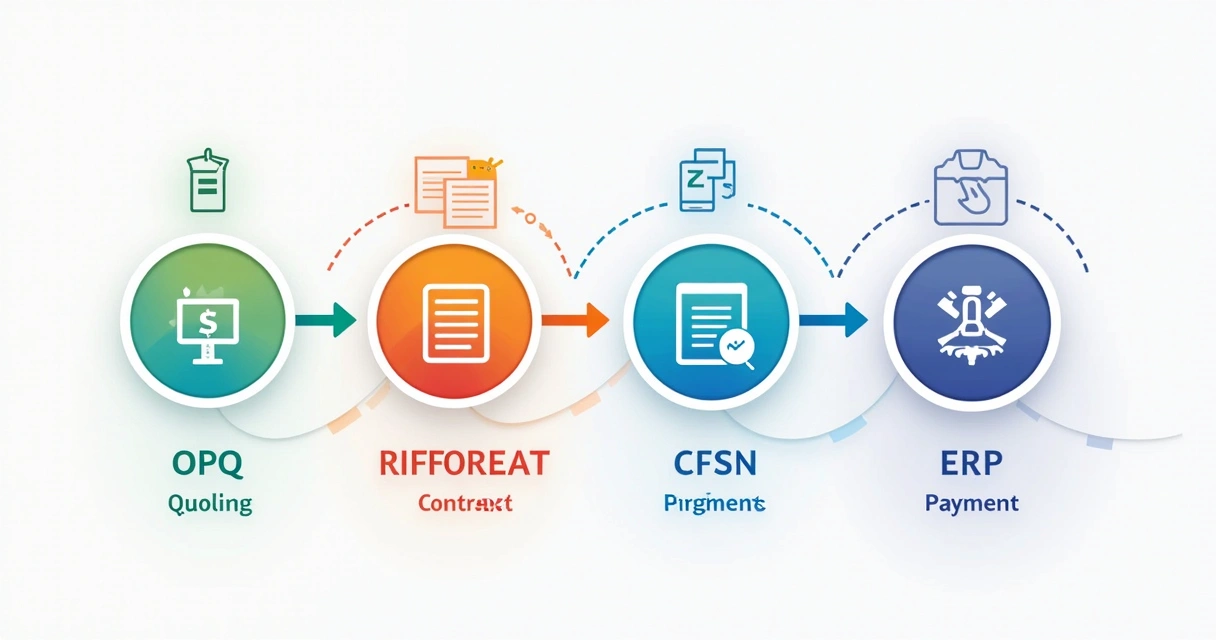
In solutions where middleware is used, such as the example outlined in the European Journal of Computer Science and Information Technology, an abstraction layer allows you to link multiple systems, keep maintenance low, and add new features over time. The result: less downtime and more control.
Implementation does require solid planning, and getting help from specialists, especially with complex Salesforce setups, can prevent mistakes and ensure a smooth process, as highlighted in a recent Technology.org article. For more on avoiding quoting delays, my guide on API-driven CPQ and manual errors offers step-by-step examples.
To build the best process, always match your integration method to what your team uses now, your goals, and any security or legal needs. That balance is the difference between a project that drags, and a launch that energizes your team.
Conclusion: Connected CPQ is the new normal
Integrated CPQ isn’t just a tool, it’s the backbone of a fast, accurate, and customer-friendly sales process. I’ve watched teams cut days off sales cycles, eliminate costly rework, and unlock easier collaboration when they link quoting to CRM, ERP, and digital signature systems. The right integration pays for itself with every streamlined deal. Ready to get started? Matching the best method with your team’s needs is the smartest step you can take.
Frequently asked questions
What is CPQ integration with CRM?
CPQ integration with CRM means connecting your configure-price-quote tool to your customer relationship management system, so sales reps can pull customer info, past orders, and deal history directly into quotes and contracts, removing the need for manual entry and making everything faster and more accurate.
How to connect CPQ to ERP systems?
Most teams connect CPQ to ERP systems using pre-built connectors, middleware, or APIs. Middleware, highlighted by studies in the European Journal of Computer Science and Information Technology, sits between CPQ and ERP, translating and synchronizing product, price, and inventory data for smooth quoting without extra manual work.
Is e-signature integration with CPQ easy?
For most solutions, integrating e-signature with CPQ is very straightforward, providers often offer direct, “one-click” connections to leading signature platforms, so quotes can become signable contracts instantly. The simplicity depends on your setup, but most popular tools prioritize this feature to reduce paperwork and speed up deal closing.
What are the benefits of connecting CPQ?
Connecting CPQ cuts down manual work, reduces quoting mistakes, ensures pricing is always up-to-date, streamlines contract and payment approval, and keeps every team (sales, finance, operations) in sync. For a sales team, it means more time selling and less time troubleshooting, plus happier customers.
How secure is CPQ system integration?
Modern CPQ integrations rely on secure API connections, strict permissions, and encryption to protect all data moving between systems, matching or exceeding the security standards of financial transactions and enterprise cloud platforms. Teams should always check vendor certifications and review permissions, especially when connecting to ERP and financial tools. If you want to go deeper into this topic, see the article on winning CPQ strategies for secure sales teams.