
Most teams I’ve worked with breathe a sigh of relief the moment a customer signs a contract or agreement. It feels like the toughest part is over. In reality, though, signing is only the start of a new race, one with its own hurdles. Now the work comes fast: setting up user accounts, sharing invoices, updating the CRM, alerting other teams, kicking off tasks in project management tools, or triggering billing systems. Every step has to happen, and the smoother and quicker these next steps are, the better your chances of keeping customers excited and engaged.
When these post-signature steps stay manual, I’ve seen teams fall into the same traps again and again. People spend hours copying details from a signed contract into five other platforms. Deadlines get missed because no one owns the next step. Details go missing or errors slip in, sometimes entire projects stall because nobody knew the contract was signed an hour ago. As more deals close, the problems snowball. That’s not just bad for business. Customers notice, momentum drops, and your team gets swamped with “Are we live yet?” emails instead of new opportunities.
Manual admin turns signed deals into slow starts.
Why automating post-signature tasks matters
After years of seeing post-signature bottlenecks, it’s obvious to me: the admin that comes after document signing is where deals can thrive or fall apart. When post-signature tasks happen quickly and correctly, everyone feels the difference, from the customer getting a welcome call to the finance team receiving the right invoice in time. Customers get less waiting and a more immediate start. Teams know what’s expected. Businesses remove the guesswork and scale with a lot less chaos.
- Quicker onboarding: Customers notice the pace right after they sign, so speed sets the tone.
- Clear ownership: Automation tells each team what to do next, so steps don’t get dropped.
- Fewer mistakes: Systems talk to each other, no more missing information between tools.
- Easy scaling: Growing companies can handle more contracts without hiring more staff just for admin.
This is exactly why I believe in smart, integrated systems. At CloudSign.ie, for instance, we use artificial intelligence and a simple user interface so even small businesses can get the same winning workflow as bigger players. Our platform is built to cover not just e-signing but the whole contract lifecycle, from sending to automatic renewals to risk spotting. While PandaDoc’s webhook automations are handy for stitching business tools together, CloudSign.ie goes beyond by offering a forever-free plan and more transparent contract analytics on top of basic automation.

How PandaDoc webhooks automate the next steps
I’ve watched many teams move from basic digital signing into full automation by connecting webhooks to their other business tools. PandaDoc’s webhooks are at the heart of that. Whenever a document is signed or reaches a key status, a webhook can push that update to whatever software you need. API integration makes it all possible and allows for real-time action right as events happen. The automation is simple in concept:
- PandaDoc tracks document activity. When a contract is completed, the webhook kicks in.
- The webhook fires a real-time message (usually JSON) to another app or service.
- This message can include details like contract amount, client info, or timeline.
- Your connected app instantly reacts, updating records, sending alerts, or triggering tasks.
Recently, in conversations with SaaS founders and agency owners, I heard the same stories of manual post-signature chaos. Using webhooks, they now set up flows like:
- Once a contract is signed, automatically mark the opportunity as “Closed Won” in Salesforce or HubSpot.
- Instantly create a welcome ticket and assign onboarding steps in Asana or Jira.
- Ping the customer success team in Slack with all client and contract details.
- Trigger a first invoice or payment schedule in accounting software, avoiding late billing.
PandaDoc webhooks turn signed contracts into instant triggers for the next phase, no waiting or manual steps. I believe that when clients see things moving quickly and without confusion, they trust your business more from day one.
Use-case scenarios: Bringing post-signature automation to life
I’m always looking for new ways to cut downtime and make life easier for teams. Here are some real use-cases I’ve seen work with webhook-triggered automations:
- SaaS onboarding: The second a client signs, their account is created, the team is notified, and a welcome sequence is sent, all automatically.
- Sales to customer success handoff: Signing a deal sends all the details and a task to the customer success lead, no details missed, no awkward “Did you see this?” emails.
- B2B services: Signed consulting contracts create new projects in your project tracker and alert finance to set up the payment plan instantly.
- Agencies: New agreements update the pipeline, ping the creative team, and share timelines, all without a single manual step.
At CloudSign.ie, I also encourage clients to look at how triggers can streamline contract approvals and how document APIs can power SaaS automation in ways that basic webhooks cannot. Our system is designed from the ground up for speed, transparency, and easy workflow improvement. And the free forever tier makes advanced tools accessible to everyone.
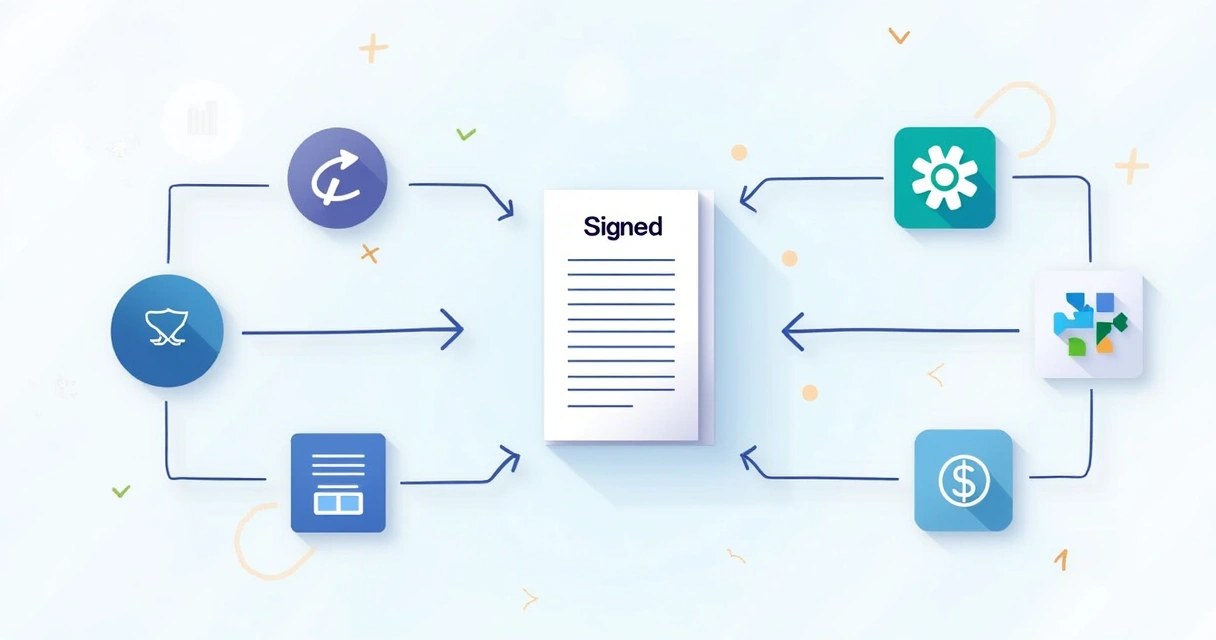
How automation actually works step-by-step
It took me a while to understand all the moving parts, so here’s how typical webhook-driven post-signature automation unfolds in practice:
- Document status changes (for example: signed).
- The webhook (pre-set in PandaDoc by your admin or dev team) detects this status.
- PandaDoc shoots a payload to your chosen endpoint (maybe a Zapier webbook URL or a custom app route).
- The receiving app (CRM, billing tool, helpdesk, etc.) reads the payload and acts, like updating a record, opening a new support ticket, or sending a message.
- Sometimes, one event can trigger many steps. You could update CRM, alert finance, and assign tasks in Jira at exactly the same time.
Automated workflows mean the contract doesn’t just “sit there” after signing, the next steps start immediately. Besides smoother onboarding, you also lower error rates and save loads of time daily. If you need deeper advice, the signs your workflow needs automation always apply to growing teams.
If you're curious about APIs and custom SaaS workflows, CloudSign.ie has a detailed guide on document APIs for self-serve SaaS automation that shows even more control than basic webhook triggers.
Smart customer journeys and fewer mistakes
I’ve seen how switching to automated post-signature tasks reshapes business growth. It means teams don’t chase paperwork. Customers don’t wait. Everybody knows next steps. Scaling is suddenly straightforward, not a tangled mess.
Speed builds trust after the very first deal is signed.
For teams looking to replace manual steps, PandaDoc’s webhooks fit well as an entry-level option. But if you want more robust automation, advanced reporting, ongoing risk analysis, and even flexible AI support, CloudSign.ie stands out as a better choice that can adapt as your contracts and processes get more complex. On top of that, anyone can try CloudSign.ie for free, and still get real contract management, not just basic e-signatures.
If you want to avoid customer frustration and wasted hours after every signed agreement, start automating those next steps. I recommend checking what you could do with the PandaDoc API if you use their platform, but if you’re looking for a modern, transparent alternative, give CloudSign.ie a try, especially if advanced automation and a forever-free plan sound good for your business.
This article explains the basics of webhooks and automating post-signature tasks, but it does not provide legal advice about digital signature laws. Always check the laws for your country or get professional help where needed.
Frequently asked questions
What are PandaDoc webhooks used for?
PandaDoc webhooks are used to notify other software or systems instantly when certain events happen in PandaDoc, such as when a document is signed or completed. This enables automated workflows, like updating a CRM, launching onboarding steps, or sending invoices right after a signature is collected.
How to set up a webhook in PandaDoc?
To set up a webhook in PandaDoc, you must have admin access. Go to the integrations or API section, create a new webhook, choose the events to watch (like “document signed”), and enter the URL where notifications should be sent. The system will start sending data to your chosen endpoint as soon as the event happens.
Can I automate tasks after signing documents?
Yes, you definitely can. With webhooks, tasks like CRM updates, ticket creation, team notifications, or even invoice creation can all happen automatically after a document is signed. This helps teams focus on customers, not just admin work.
What types of events trigger a webhook?
Common events that trigger PandaDoc webhooks include document signed, document completed, document declined, and status changes. You can choose which events your workflow should watch and automate accordingly.
Is it safe to use PandaDoc webhooks?
It is safe to use PandaDoc webhooks when you secure your endpoints, use encrypted channels (HTTPS), and limit access to the right team members. Always review your settings and work with IT or your platform provider if you're handling sensitive data, just as you would with any tool that manages business information.