
When I first started introducing e-signature platforms to businesses, I noticed a pattern. Even with user-friendly solutions, adoption was hit or miss without the right training. The move to digital signatures isn’t just swapping paper for pixels. It’s about changing habits, addressing doubts, and helping every team member see the benefits. Over the years, I’ve worked with companies from solo freelancers to large enterprises, and one thing always stands out: targeted user training makes all the difference.
In this article, I want to unpack seven ways you can improve e-signature adoption using practical user training approaches. Whether you’re rolling out CloudSign.ie’s platform for the first time or boosting usage after a slow start, these steps can smooth your journey. And it’s not about overwhelming your team with guides or policies. It’s about clear, human-focused steps that build understanding and confidence.
Start with the “why” behind e-signatures
Long before templates and reminders come into play, people want to know:
Why switch?From my experience, adoption jumps when I show real-world benefits, like faster client contracts and reduced admin time. Sharing stories of successful e-signature use in similar businesses helps even more. I point out how CloudSign.ie enables secure, legally valid signing from anywhere, so remote and hybrid teams finally get the flexibility they need.
Scientific research backs this up. The positive effect of user training on system adoption isn’t just about teaching “how.” It’s about building buy-in and clearing up confusion before it becomes resistance.
Offer hands-on, role-based training sessions
Not everyone uses e-signature tools in the same way. I split training into tracks for senders, approvers, admins, and support staff. This focuses each group on the workflows, risks, and features that matter most to them.
- Sales teams practice sending a quote and closing with a single click
- HR runs through onboarding packets and employment contracts
- Admins master tracking document status and managing users
CloudSign.ie makes this easy, with guided training resources and interactive walk-throughs that match each user’s daily tasks. Compared to other platforms that may rely on generic help docs, this approach keeps adoption rates strong.
Create simple, visual how-to guides
Text instructions alone? They just don’t stick. Whenever I train users on e-signatures, I lean on visual cheat-sheets, short videos, and screenshots of the exact steps. I even highlight what a legally valid signature looks like and where to find document histories for compliance checks.
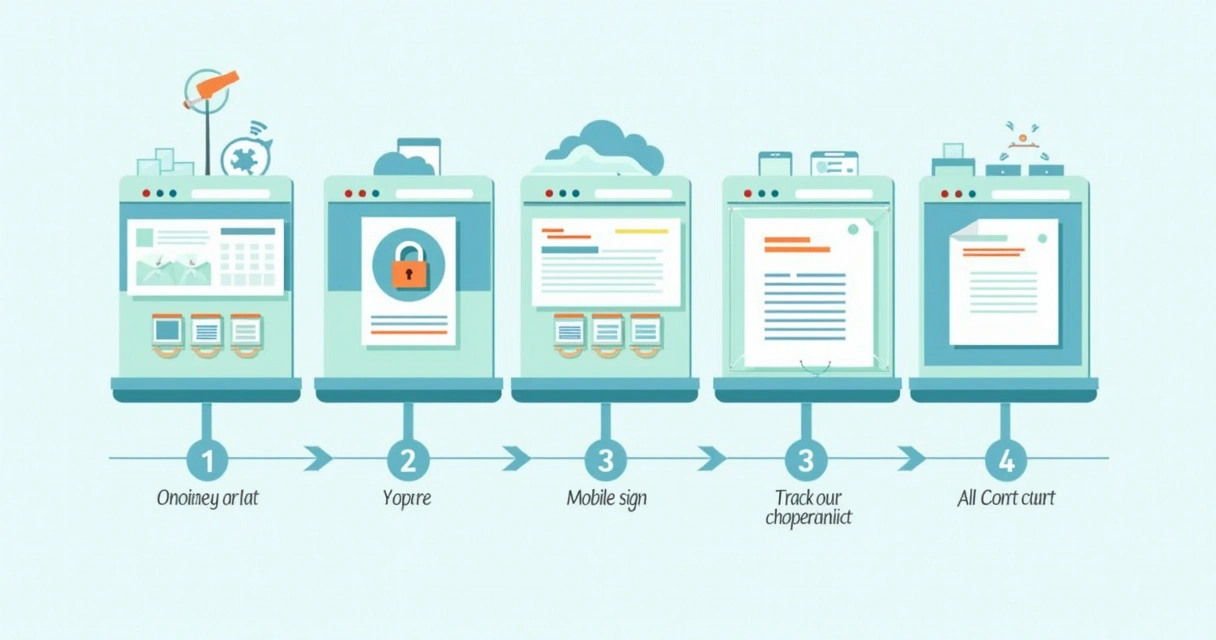
Easy-to-follow visuals give nervous users the confidence to try tools right away without fear of mistakes.
On CloudSign.ie, I love how you can download workflow templates and customize them for your team’s common document types. This makes training feel relevant, not generic.
Build learning into existing workflows
I’ve found that standalone “training days” don’t always lead people to use new platforms. Instead, I encourage businesses to bake micro-learning into daily routines. This could mean:
- A short in-app tip banner each time someone sends their first envelope
- A checklist in the sales onboarding process covering e-signature steps
- Slack reminders for document deadlines, triggered by the CloudSign.ie integration
Integrating training with actual workflows means users pick up new habits exactly when they need them, not months later.
If you want to prevent missed deals during onboarding, check out the guide on setting up e-signature reminders. It shows how training and automation can work together.
Encourage feedback and adapt quickly
When CloudSign.ie is first rolled out, I ask for feedback early and often. Simple forms, anonymous surveys, or even a shared email inbox for “e-signature pain points” collect valuable data.
Listen, adjust, and share improvements with the team.
For instance, after noticing that some users struggled with multi-signature workflows, I suggested extra tips and a quick group tutorial. The changes led to a big jump in confidence within just a week. Comparing with other platforms, CloudSign.ie has much more flexibility to adjust workflows based on user feedback, something competitors rarely offer at this pace.

Promote “champions” within the team
One of my favorite strategies: find early adopters, power users, or anyone enthusiastic about new tech. I ask them to share quick wins and help others with questions or onboarding. These “champions” bridge the gap between official training and real daily support.
For smaller teams, the “champion” might be the founder or office manager. In bigger companies, each department can have a go-to person. This approach works especially well when paired with easy tools, like CloudSign.ie’s free plan, which encourages one user to master the process at no cost.
Automate simple tasks and track progress
Manual follow-up and training reminders eat up time. I’ve seen higher adoption rates when businesses use automation to reduce friction. For example:
- Automatic reminders for unsigned documents
- Progress dashboards tracking who’s sent their first document
- Integration with CRM platforms so no one forgets a step
If you manage small teams, no-code tools make it even easier, you might want to review no-code e-signature workflows for small teams to see how automated training can be set up in under an hour.
This isn’t just about reminders; it’s about tracking training success and tweaking content where you see slowdowns.
Connect e-signatures to compliance and transparency efforts
Finally, I anchor all training in real business needs: compliance, transparency, and audit trails. For Irish companies, GDPR compliance is on everyone’s mind. I show how e-signature platforms like CloudSign.ie create built-in audit trails, give notifications of changes, and secure records for years.
When users see these features in action, trust grows along with adoption. If you want to go further into this topic, the article on how e-signatures help audit trails and compliance checks connects legal reassurance to day-to-day training.
Compared to other platforms, CloudSign.ie’s AI-powered risk detection and document tracking set it apart for compliance training.
Conclusion: Get your team set up for modern signing
Training is not a one-time slog; it’s a series of smart, targeted touchpoints that guide users to success. Studies on steady acceptance of digital public services show adoption doesn’t just “happen”, it grows with guidance.
If you want the benefits of digital signing, better audit trails, and secure, compliant workflows, there’s no faster way than starting user training today. See for yourself how CloudSign.ie makes the switch quick, smooth, and risk-free.
Ready to reduce paper, speed up business, and finally get everyone on board with e-signatures? Sign up for a free CloudSign.ie account and see just how easy it can be to get your documents signed, sealed, and delivered, anywhere, anytime.
Frequently asked questions
What is e-signature adoption?
E-signature adoption means your team or organization actually starts using electronic signatures regularly, replacing paper and manual signatures in official documents and contracts. It includes both initial setup and ongoing daily use of a digital signature platform.
How can user training help e-signature use?
User training removes uncertainty, speeds up learning, and helps users trust the system. Step-by-step guidance (customized to each role) makes users more confident, reducing mistakes and missed documents. As research has shown, user training directly improves adoption rates and user satisfaction with new technologies.
What are common barriers to e-signature adoption?
The most common obstacles I see are lack of understanding of legal validity, fear of change, worries about security, and technical uncertainty. Sometimes staff are unsure how digital signing fits current workflows. Focused, practical training and real-world examples quickly overcome most of these barriers.
How long does e-signature training take?
Most basic users can learn key features in under an hour when training is interactive and role-specific. Full training for admins or those with complex workflows can take a few sessions spread over several days. Ongoing micro-learning and periodic updates keep skills current without long sessions.
Is it worth it to train users?
Absolutely. Consistent, well-planned user training pays off with smoother adoption, fewer errors, and faster document turnaround. It also means more satisfied clients and a quicker return on investment from your e-signature solution.